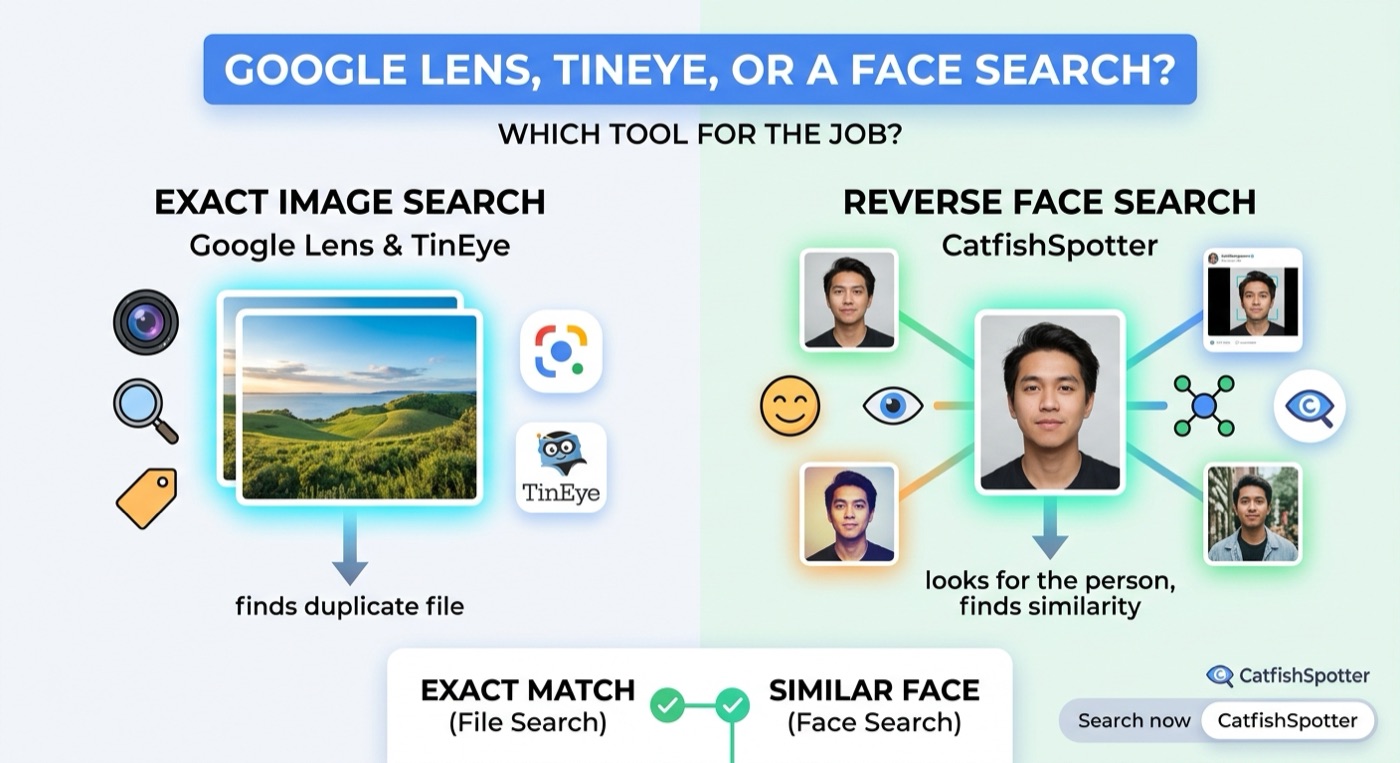
An exact image search finds the same file. A face search looks for the person. They answer different questions, and an empty result from either one is not proof a profile is real.
People reach for Google Lens or TinEye because those are the tools they already know. Both are good at a specific job: finding the same picture, or a close copy of that file, somewhere on the public web. A dating screenshot often fails that test. The crop changed, a filter was added, or the person used a different photo entirely. That is a face-search question, not a file-search question.
What an exact image search is for
Google Lens is a visual search. It is strong on products, places, text in a photo, and images that look like the file you gave it. TinEye is built to find copies of an image, including copies that have been resized or lightly edited. If someone re-uploaded the identical portrait, either tool can be enough.
They stop being useful when the file is no longer the same. A screenshot from a chat, a tighter crop, a beauty filter, or a second photograph of a similar face is a different image. An empty result there means “this file was not found.” It does not mean “this person has no other public photos,” and it does not mean the profile is genuine.
What a face search is for
A reverse face search keeps the face and lets the file change. CatfishSpotter compares the face in your upload with publicly indexed images. A different photo can still meet another public picture of a similar face, including cropped and filtered photos, when the face itself is clear. The result is a source page. It is not a name, and it is not a verdict.
You do not need an account. The photo is used for the comparison and CatfishSpotter does not keep a copy. The report stays in this browser. One credit opens the source pages for that search. A separate, free check scores whether the picture itself looks generated. That score is not proof, and it is not the face search.
01
Start with a face.
One photo. A new perspective.
Your photo is never stored. It goes to the search provider and is dropped; the report lives in this browser only. A search needs one credit — without one you will see what a search checks, not invented matches.
Drop a photo here
or choose one from your device
JPG, PNG or WebP · Up to 10 MB
It is in your purchase email. Without one the search does not run.
No upload. No credit used. No account needed.
Side by side
Question
Google Lens or TinEye
CatfishSpotter
The same file, posted again
This is what they are built for
Can return that public page too
A different photo of a similar face
Usually missed
Can match when the face is clear
A cropped or filtered screenshot
Often missed once the file changes
The face can still match
Inside a dating app
Not searched
Not searched. You upload a screenshot
A legal name
Only if a page already shows it
Only if the source page already shows it
Whether the picture looks generated
Not what these tools do
A free check, separate from the search
How to use them together
Start with the question you actually have. If you suspect the exact picture was copied from a news page or a portfolio, an exact image search is a fair first pass. If the picture is a screenshot, a crop, or one of several photos of the same person, use a face search and then open the source pages.
Use the clearest, most front-facing photo you have the right to upload.
Read the source page: name, date, and the other photos.
Treat a lookalike as a lookalike until the page says otherwise.
Ask for a live video call either way. No match is not a verification.
What none of these tools will do
None of them log into Tinder, Bumble, Hinge, or a private social account. None of them turn a similarity into a criminal finding. And the person in a stolen photo is often not the person who sent it. Use the page to understand the picture. Do not contact or expose the person it shows.